
App for iOS and Android
SPYBALL CONNECT

Your vehicle in your pocket: live position, every trip, geofences, alarm alerts and remote engine cut — plus Bluetooth control of the BPBrain device.


Scan with your phone’s camera.
Features
Everything the app does
01 / 09
Live tracking
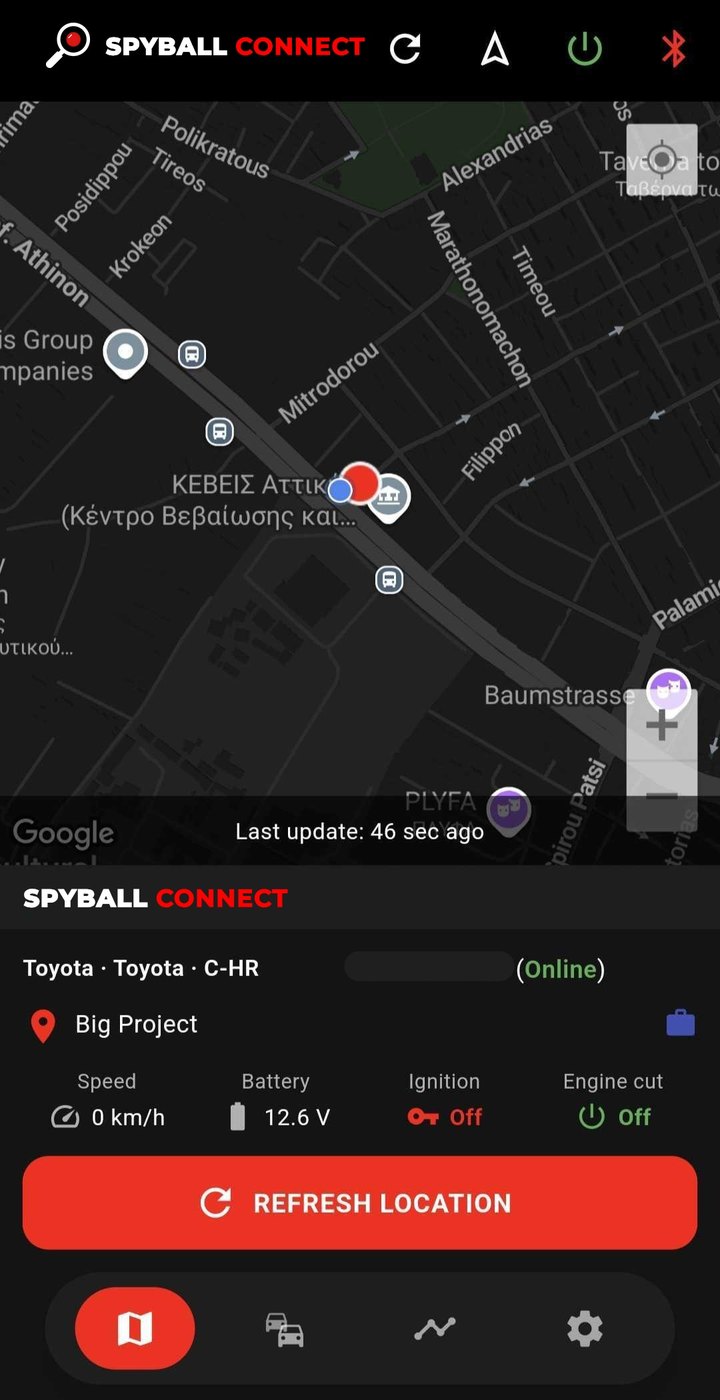
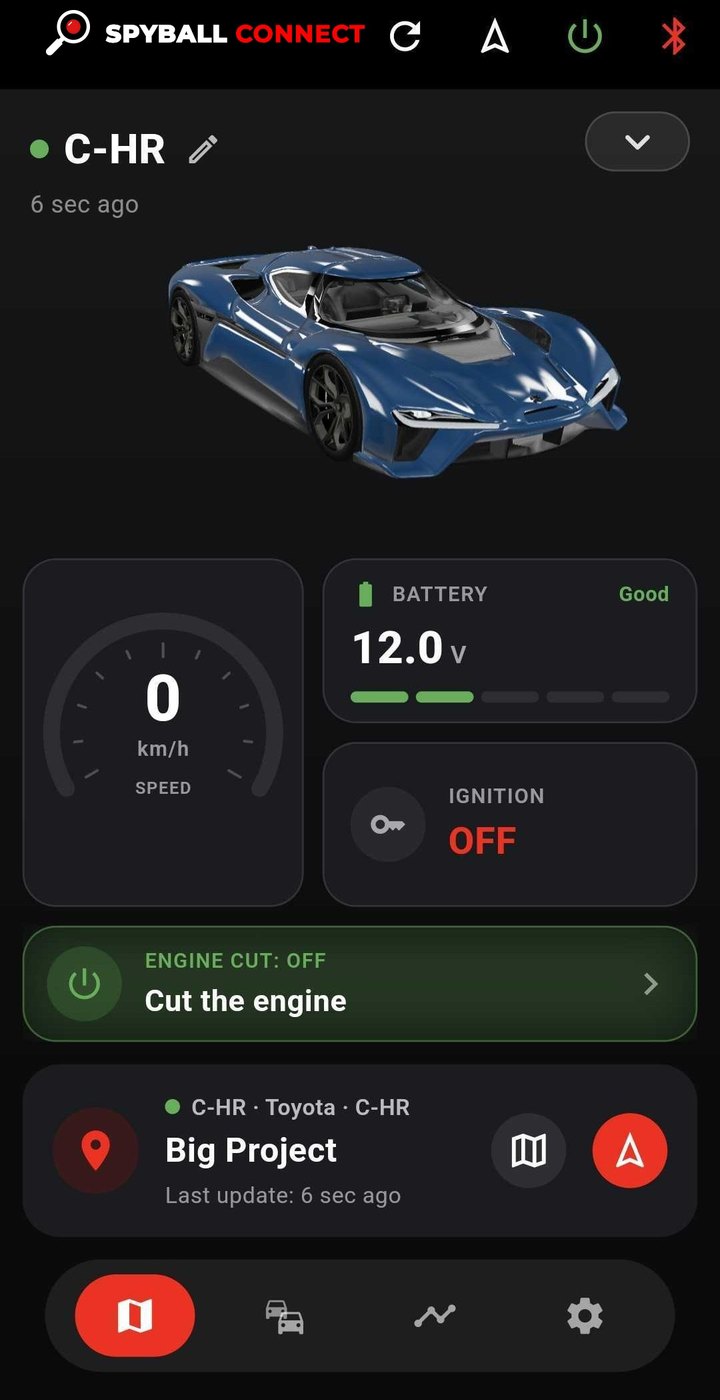
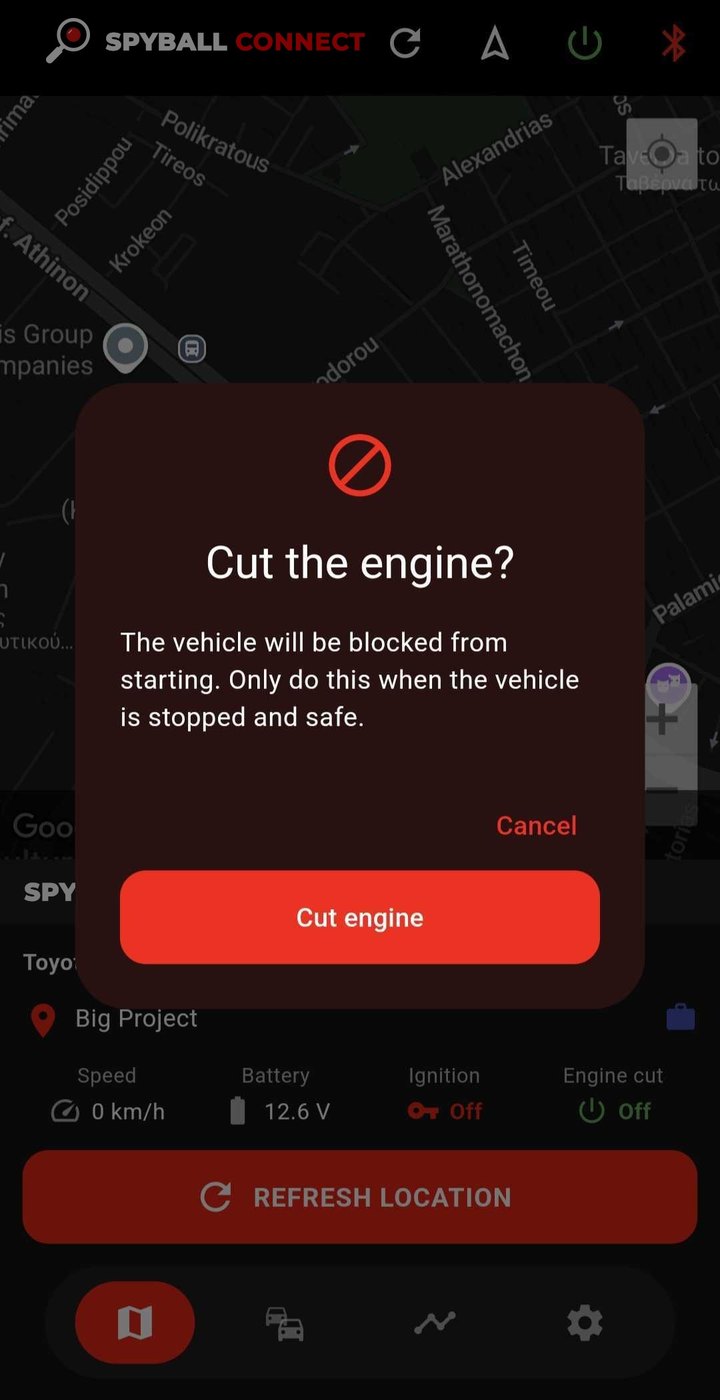
The vehicle’s position on the map with speed, battery voltage, ignition and engine-cut status — and when the last update arrived. Refresh the location with one tap.
Live readings
Speed, battery voltage and ignition, reported by the vehicle itself and shown with a 3D view of it the moment they change — with the engine-cut state right beneath.
Your own photo
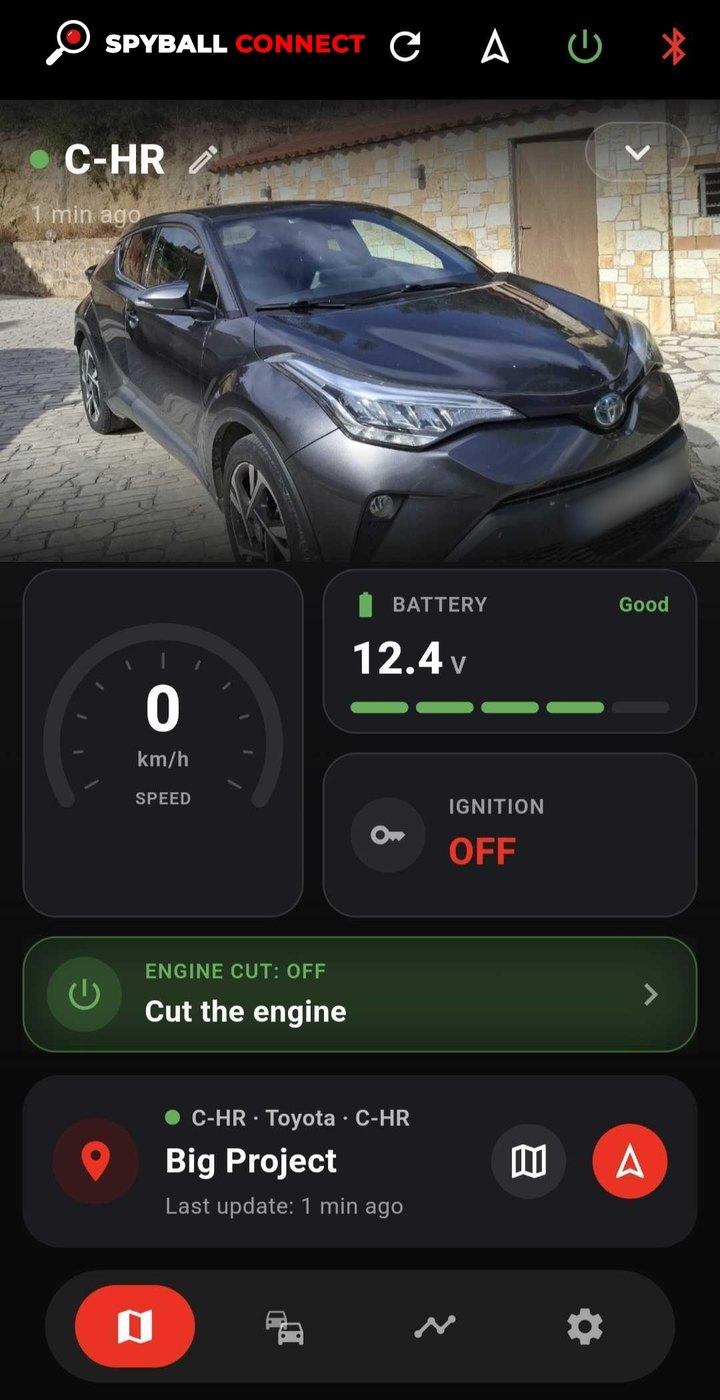
Add a photo of your own vehicle. It takes the place of the 3D model and shows in your vehicle list, so you know it at a glance.
Known locations
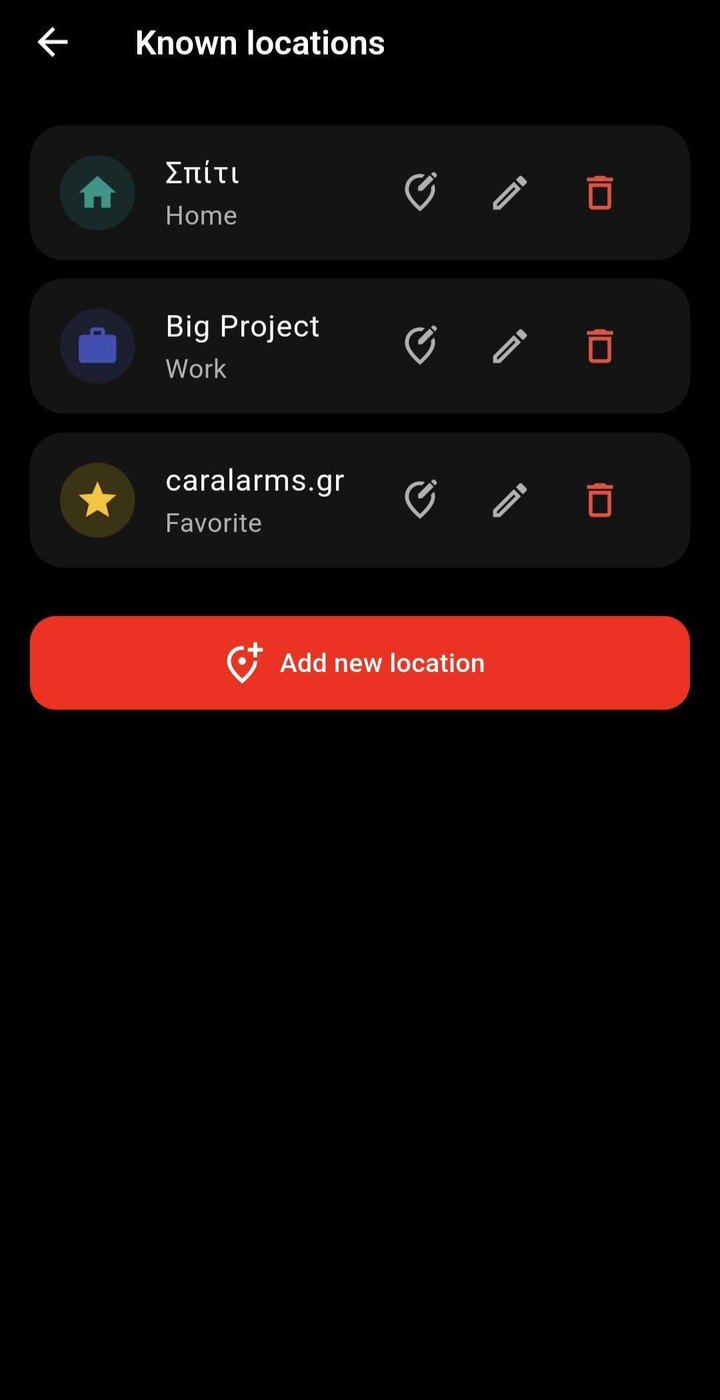
Save home, work and favourite places, so trips show names instead of street addresses.
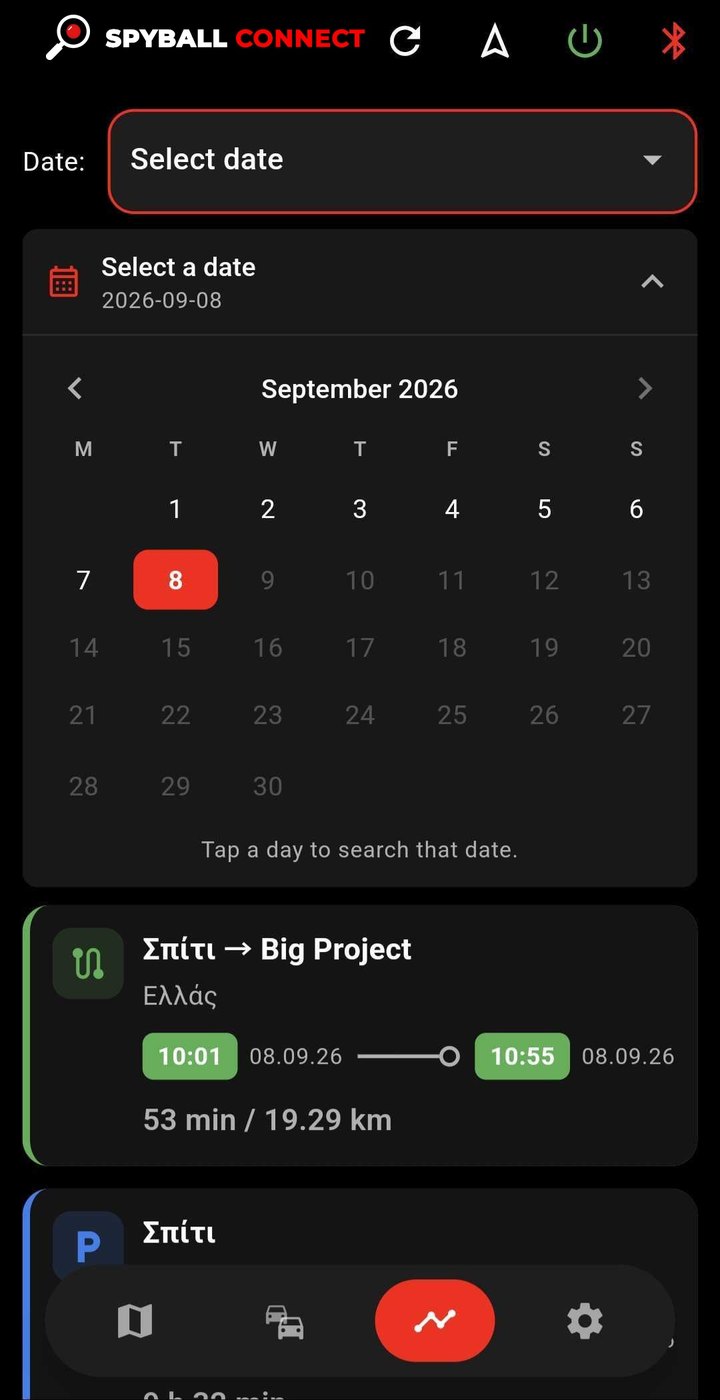
Trip history
Pick a day on the calendar and see every trip: from and to, departure and arrival times, duration and distance.
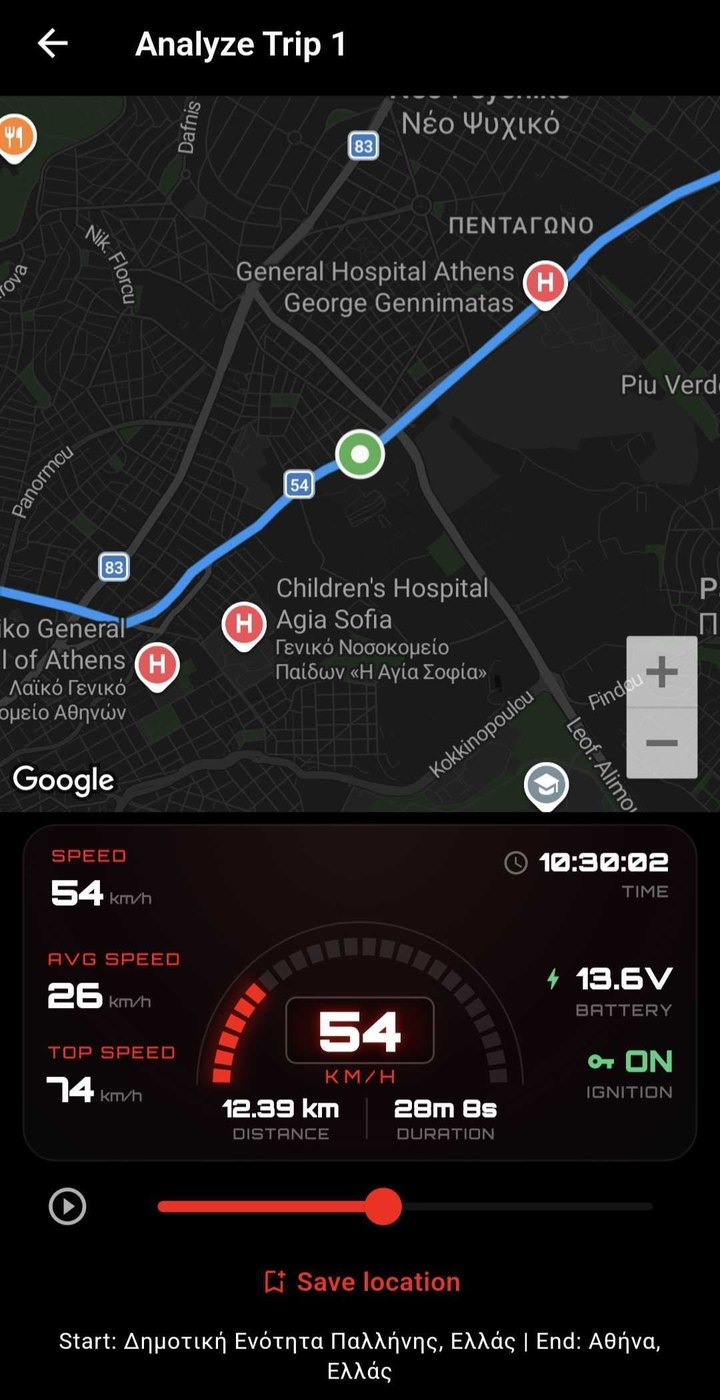
Trip replay
Play a journey back point by point on the map, with the speed at each moment, average and top speed, distance and duration.
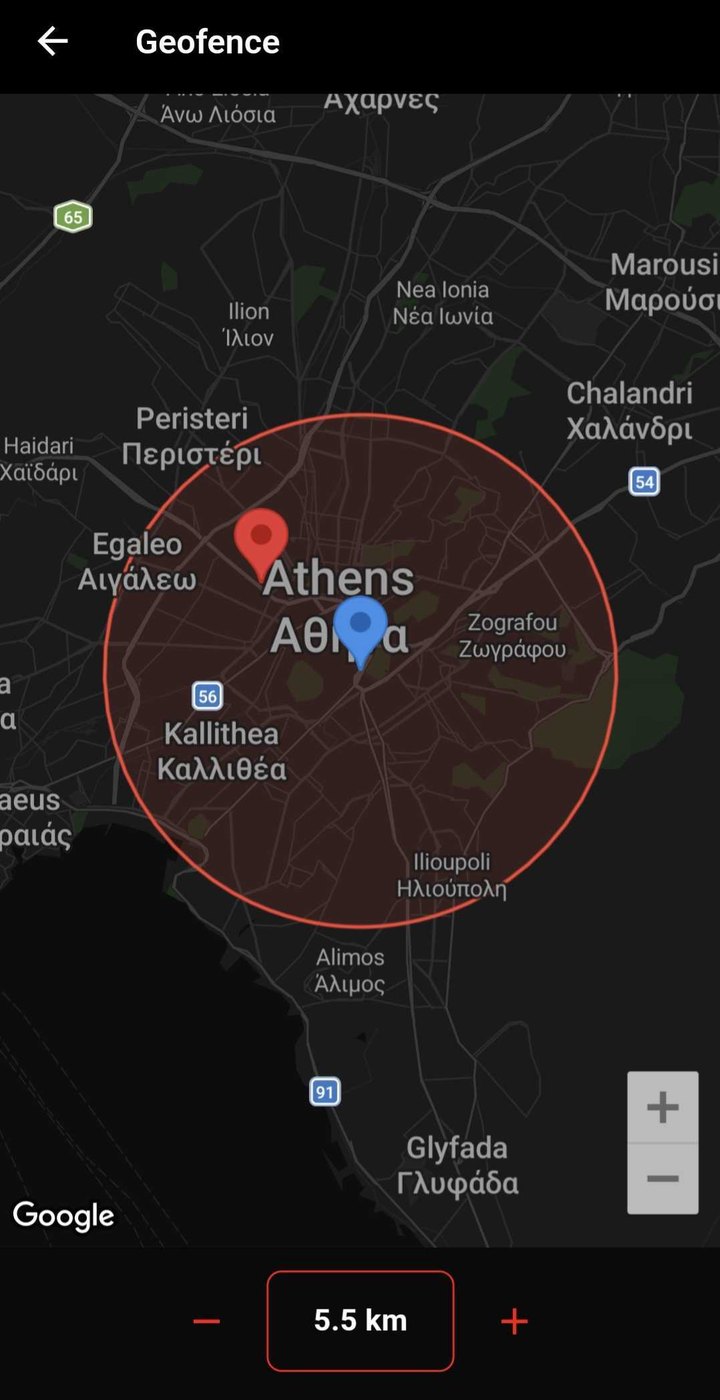
Geofences
Draw a zone on the map and set its radius. The app tells you the moment the vehicle leaves it.
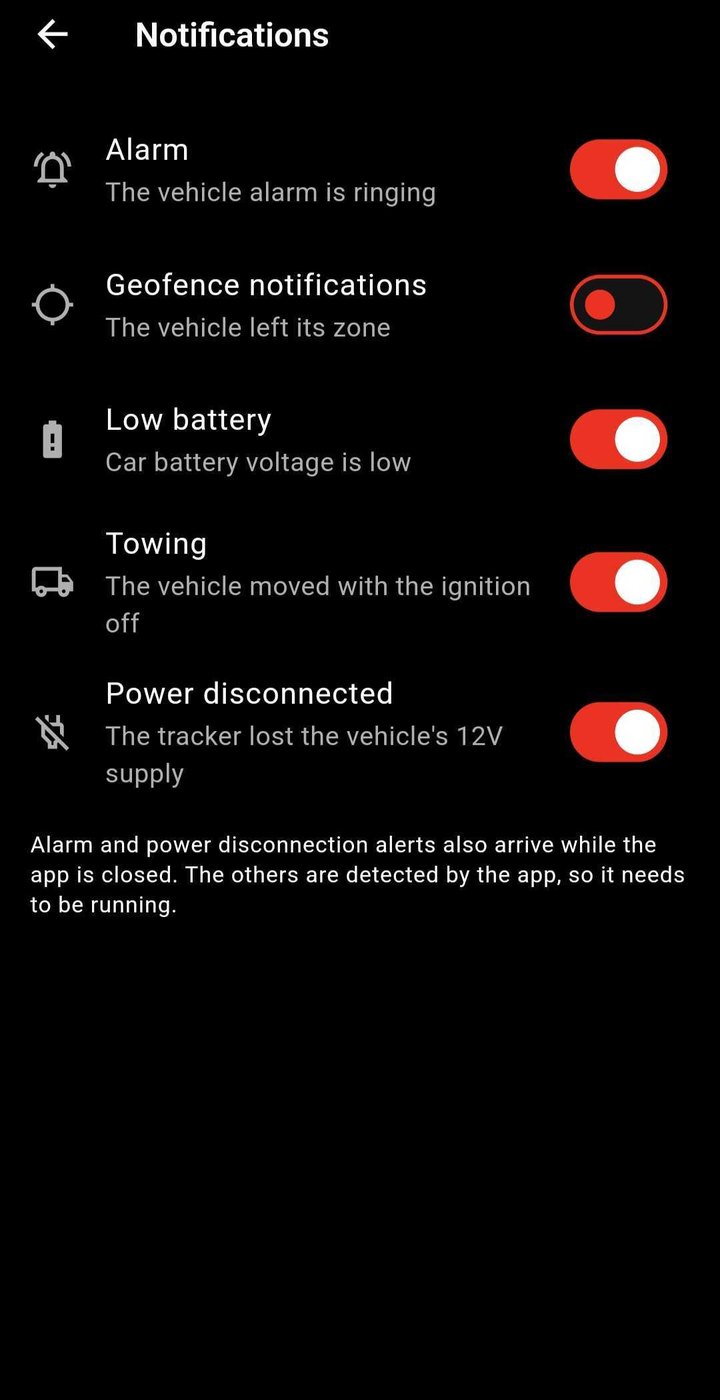
Notifications
Alarm, geofence exit, low battery, towing and power disconnected — switch on the ones you want. Alarm and power-disconnection alerts arrive even while the app is closed.
Remote engine cut
Immobilize the engine from your phone. The app asks you to confirm and tells you once the vehicle has carried out the command. Only use it when the vehicle is stopped and safe.
Bluetooth
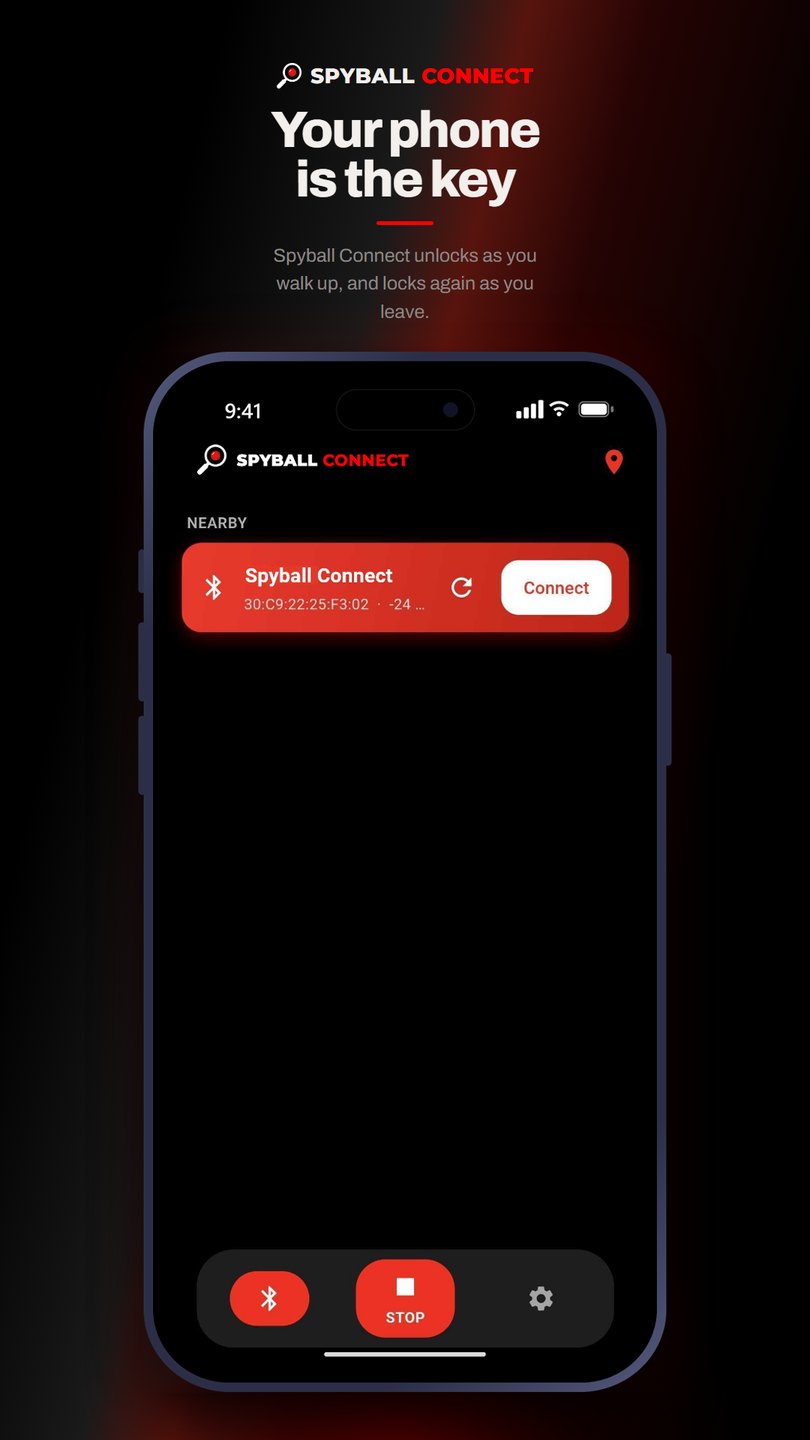
Your phone is the key
With the BPBrain device in the vehicle, the app talks to it over Bluetooth: it unlocks as you walk up and locks again as you leave.
- Unlocks as you approach, locks as you walk away
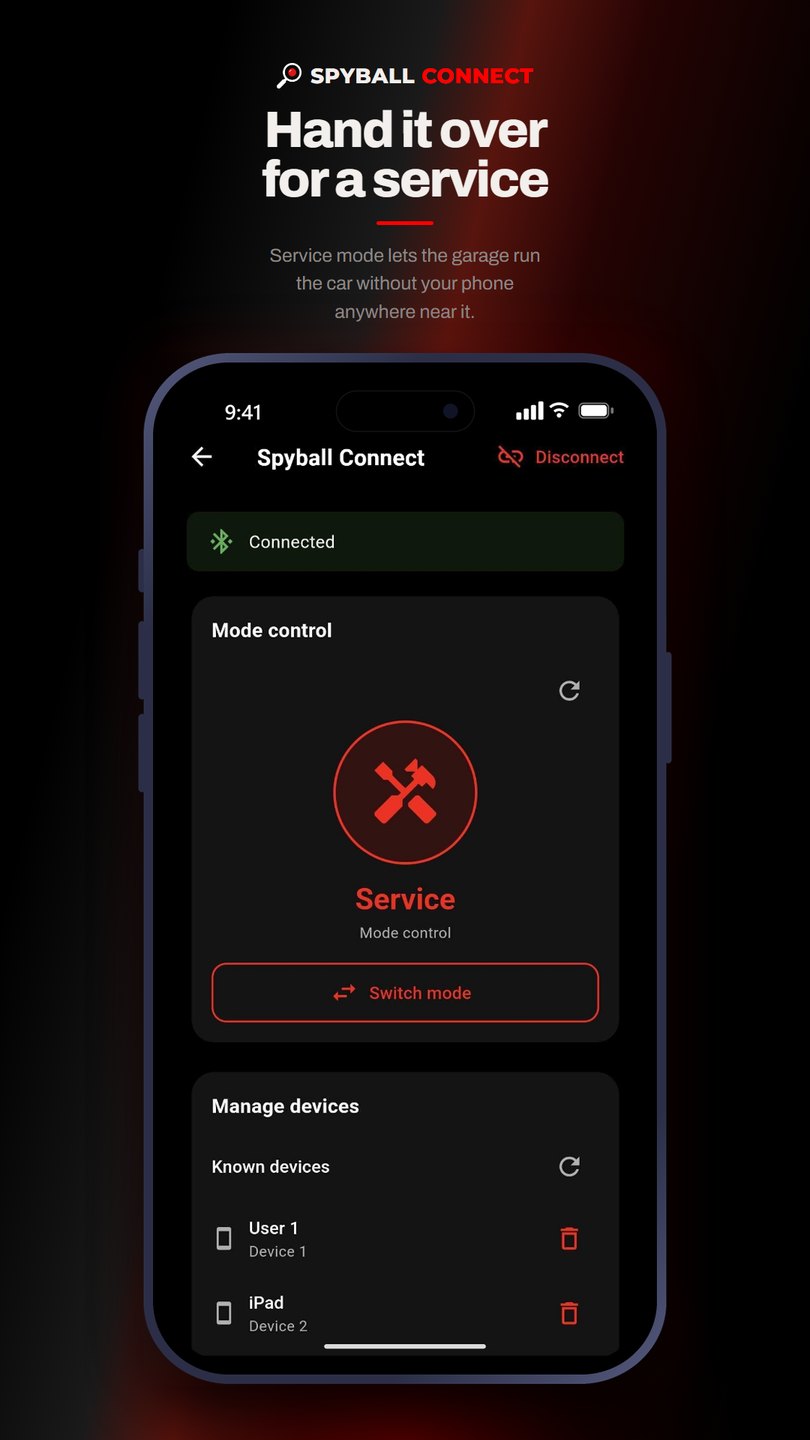
- Service mode lets the garage run the car without your phone nearby
- Manage the known devices that have access
Getting started
Up and running in minutes
 1
1Download the app
From the App Store or Google Play — or scan the QR code below.
 2
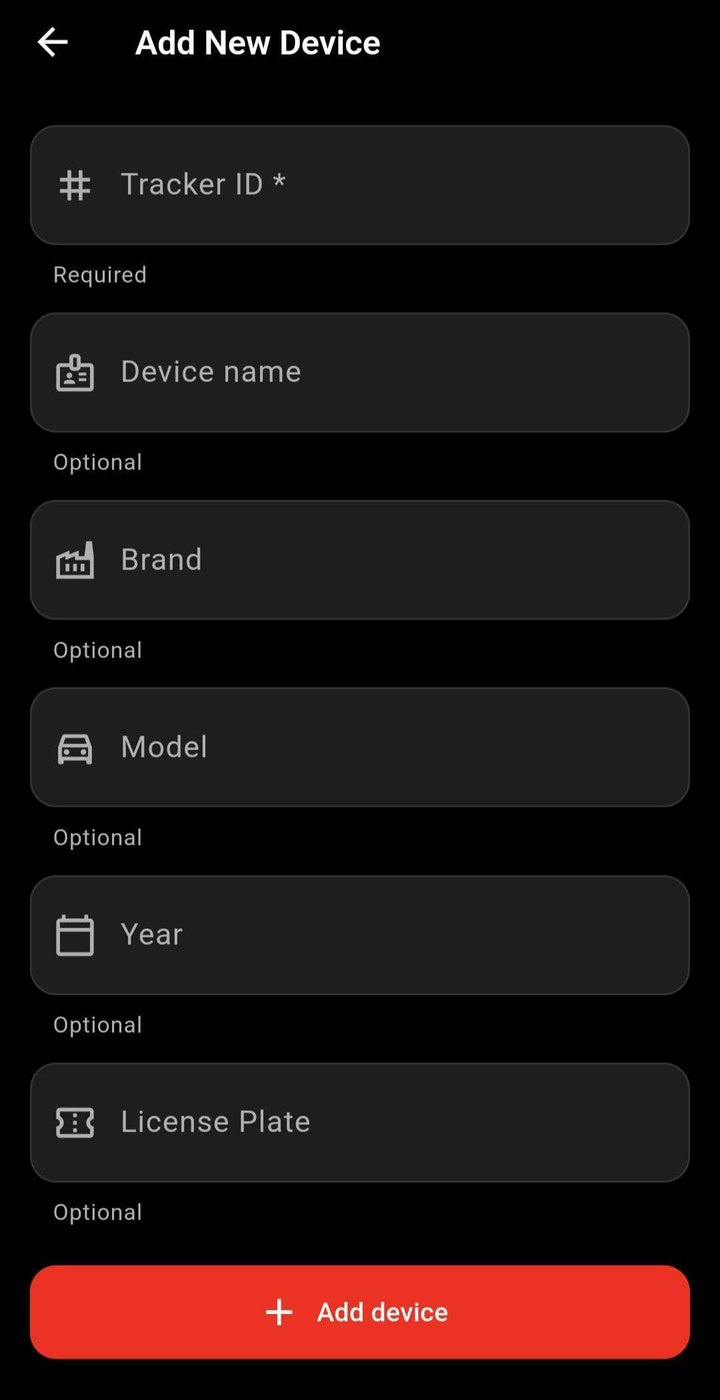
2Add the tracker
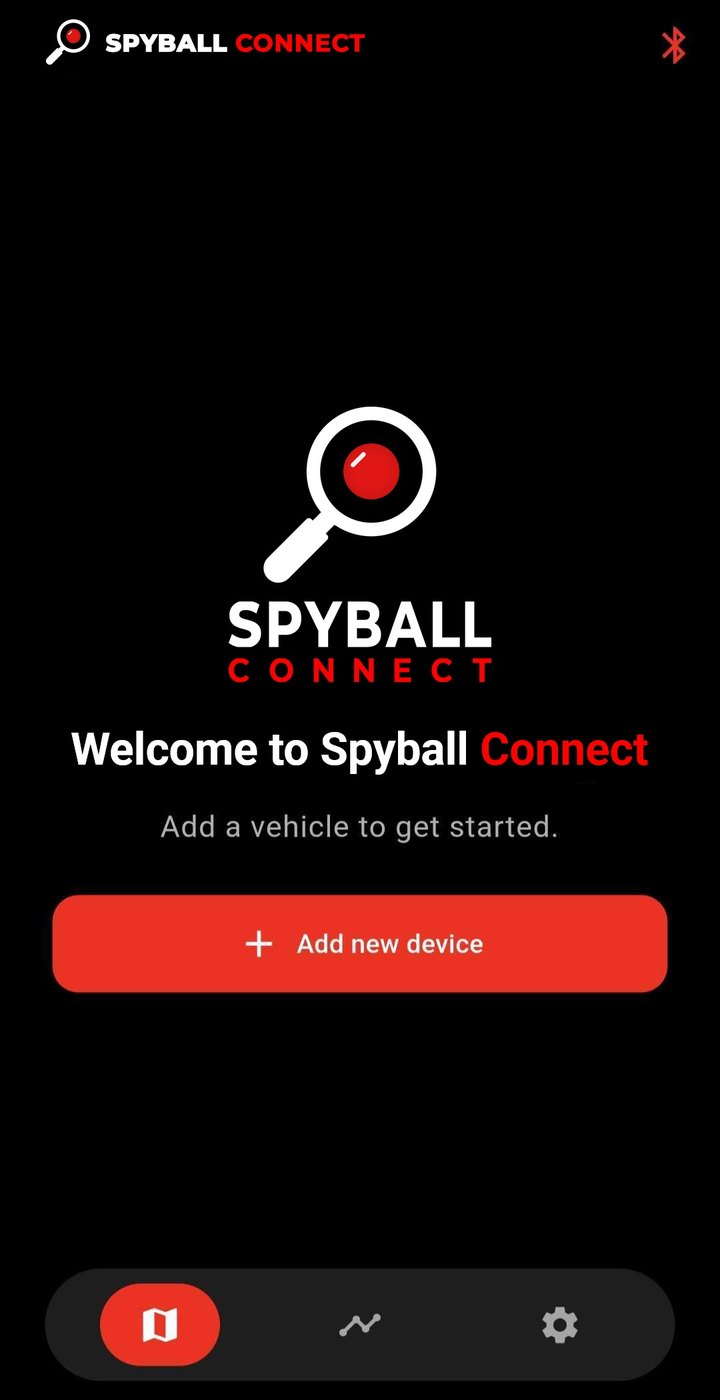
Tap Add new device and enter the Tracker ID. Name, brand, model, year and licence plate are optional.
- 3
See the vehicle on the map
As soon as the tracker has a satellite fix, the vehicle appears on the map with its readings.
Buy from an authorised retailer
SPYBALL CONNECT is sold and installed by a network of authorised retailers and installers. Ask us for the one nearest you.